

Private rooms. Real connections.
A Private Space for Every Purpose
Create your own online space for the people who matter. Build a public landing page, or bring your group together with everything in one place: content, photos, videos, events, and conversation.

See Cliqra in action
How it works
Most people are live within minutes.
Create your account
Sign up for free. No credit card is needed to start on the Free plan.
Pick a Room or a Page
A Room is a private space for your group. A Page is a public landing page anyone can visit.
Build it your way
Start from a template or a blank canvas and drag in text, images, video, calendars and discussions.
Publish and invite
Hit Publish, then invite your members or share the link of your Page.
Two kinds of spaces
Choose what fits your group, or use both.

Private Room
A private space for your group. Members log in to access the Room, share content, discuss and connect.
Create your Room →
Public Page
A public landing page anyone can visit. Design your page and share the link. No login is needed for visitors.
Create your Page →Our platform
Everything you need to run your space, on any device.
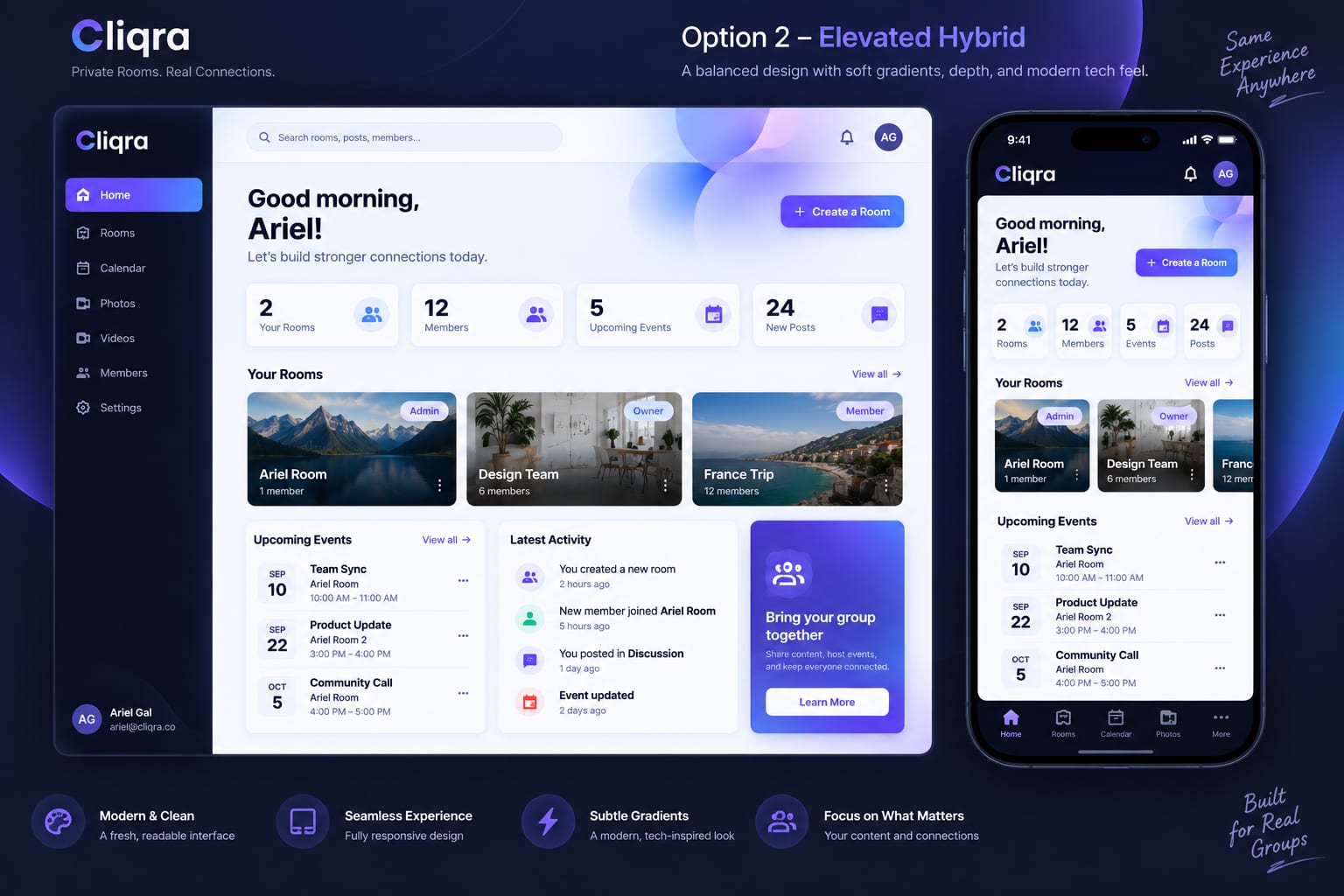
Your dashboard
Every Room and Page you own or belong to, in one place, on desktop and mobile.
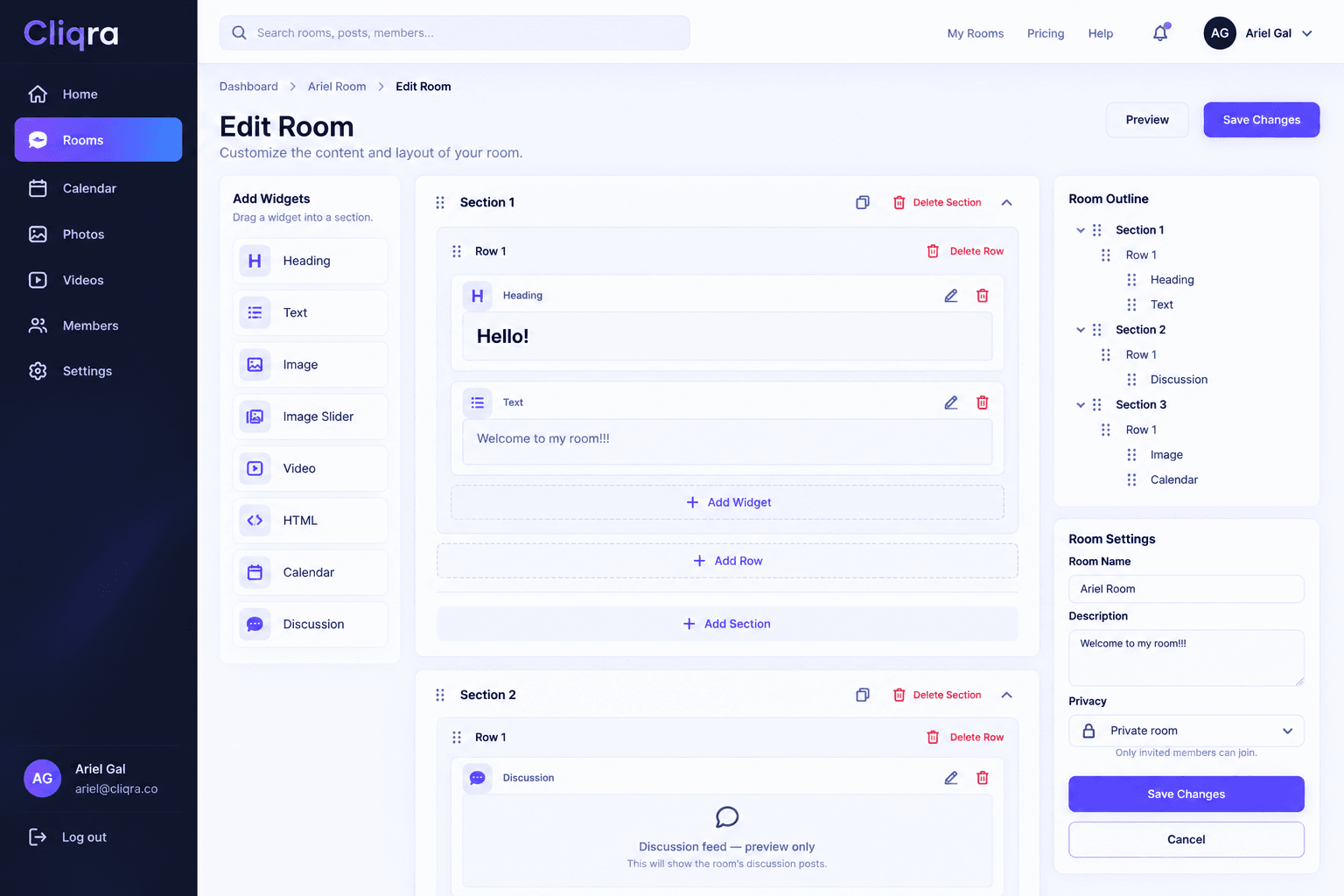
Drag-and-drop editor
Add text, images, galleries, videos, calendars and discussions, and arrange them to fit your group.
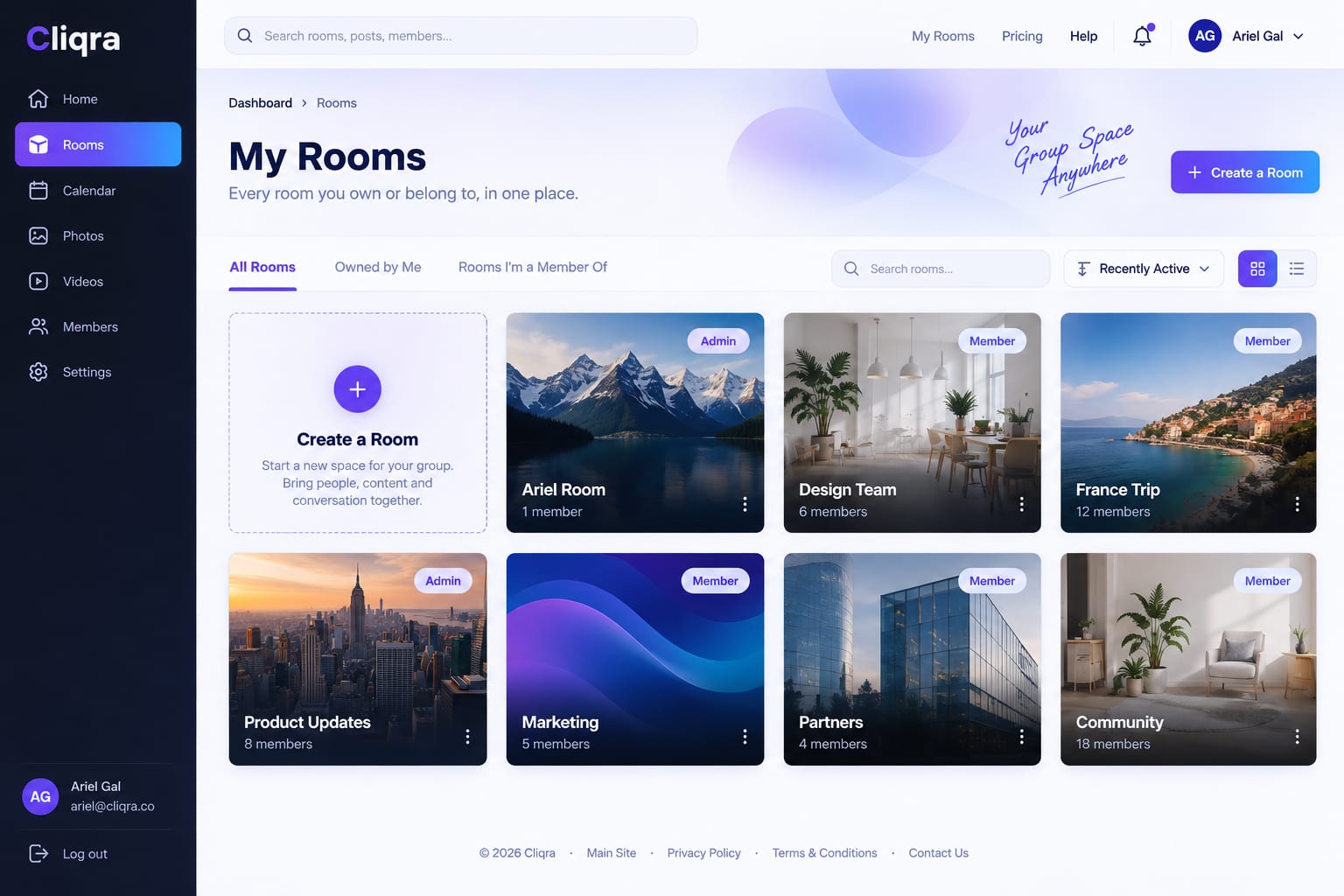
All your Rooms
Switch between your spaces quickly and see what is active or still in Draft.
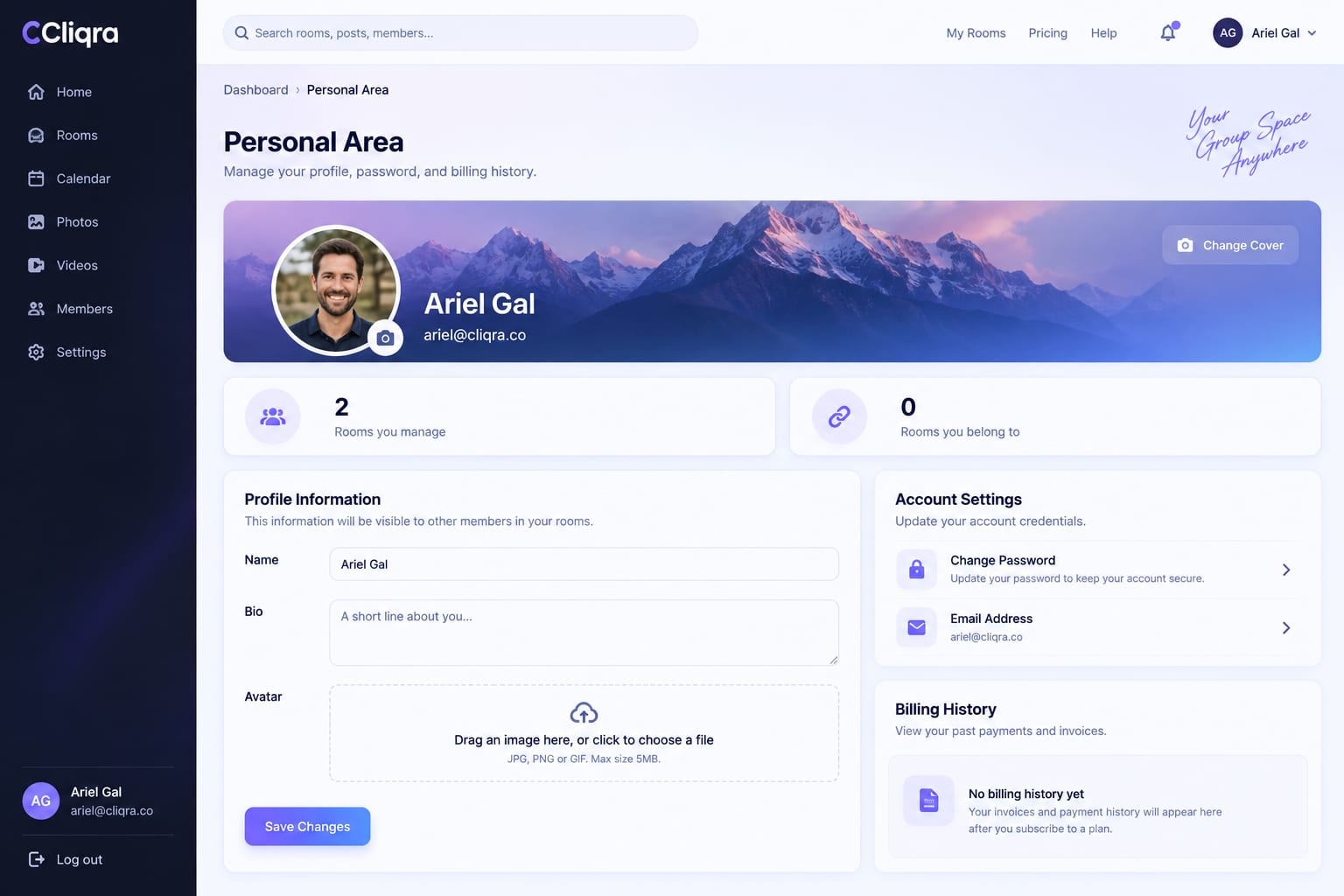
Personal area
Your profile, your plan and your receipts, always at hand.
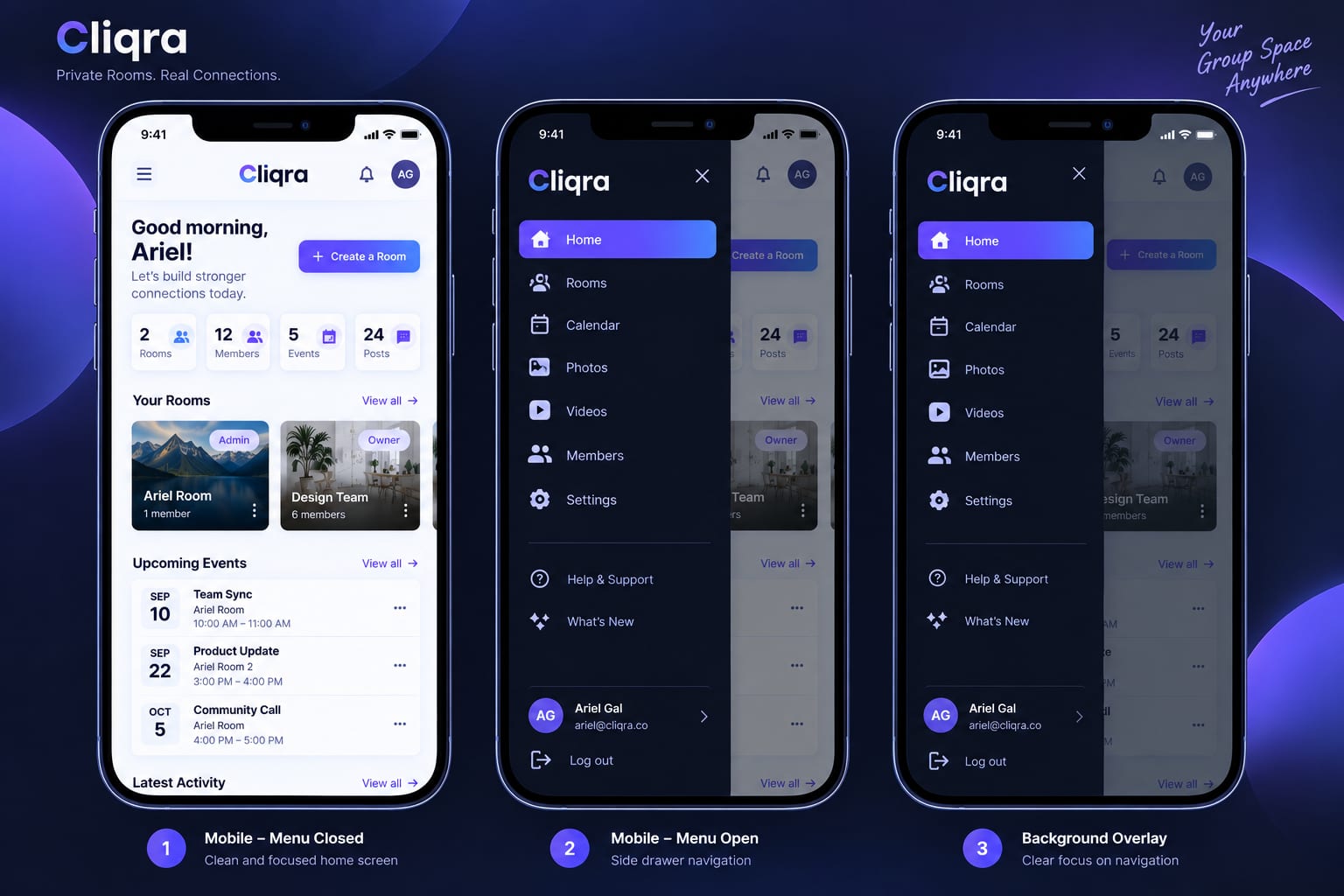
Works everywhere
It runs in the browser, and you can add Cliqra to your phone as an app.

Simple to join
Members get an invitation, sign up if needed, and are in their Room.

From a public Page to a private community
A community manager used Cliqra's Starter plan to create both a public Page and a private Room.
Using the builder and templates, they created a public landing page for their community with a contact form. They shared the link with friends and on social media, and new people signed up.
They then invited those registrants to the private Room, where they received an automatic email invitation and could join the community. In the Room, members could view the events calendar, join discussions, message individuals or groups, share photos, and stay connected all in one place.
One Page to grow the community. One Room to bring it together.
Help Center: tutorials and how-tos
Cliqra How To: use the page builder (container, column, widget)
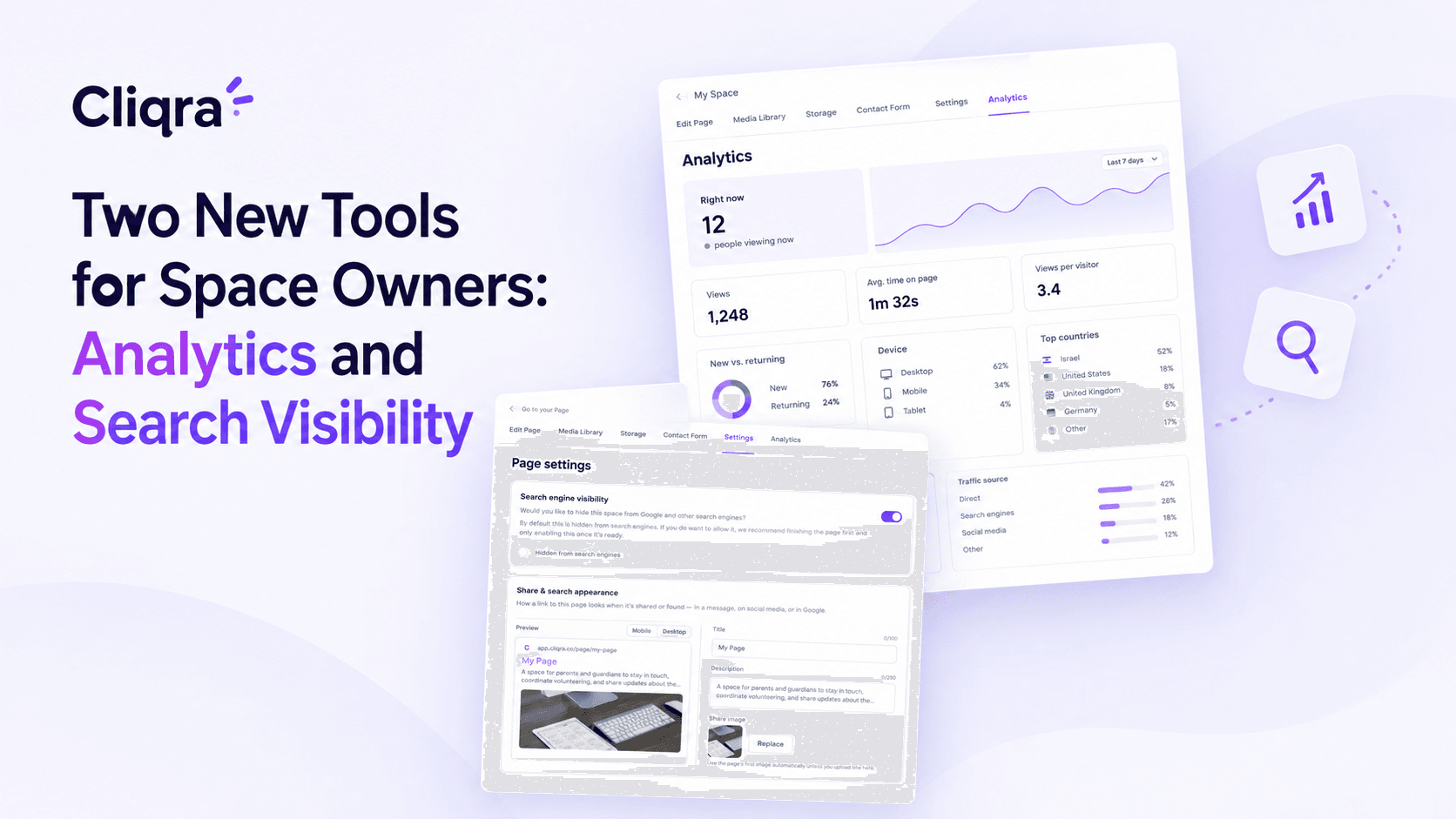

One place to come back to
Stop searching. Start knowing where things are.
Instead of asking "Where was that photo?", "When is the next event?", "Did someone post the update?" or "Can you send me that information again?" there is one simple answer: it's in the Cliqra room.

Built for every kind of group
One platform. Countless possibilities.
- Teachers and study groups
- Coaches, clubs and teams
- Families and communities
- Committees and event organizers
- Small businesses that want a simple public Page
Give your group a space of its own.
Create a private room. Bring your people together. Keep everything organized. Make it yours.
Frequently asked questions
What is Cliqra?
Cliqra is a platform for creating private online rooms for groups. Each room gives your group one place for content, photos, videos, events, and discussion.
Who can create a Cliqra room?
Anyone can create a room: teachers, coaches, families, communities, clubs, committees, study groups, teams, or any group that needs a private space.
Do members need to install an app?
No. Cliqra works entirely in the browser. Members simply receive an invitation, sign up if needed, and access their room from any device.
Can I customize my room?
Yes. The visual drag-and-drop builder lets you create your room your way. Add text, images, galleries, videos, calendars, discussions, and arrange everything to fit your group.