
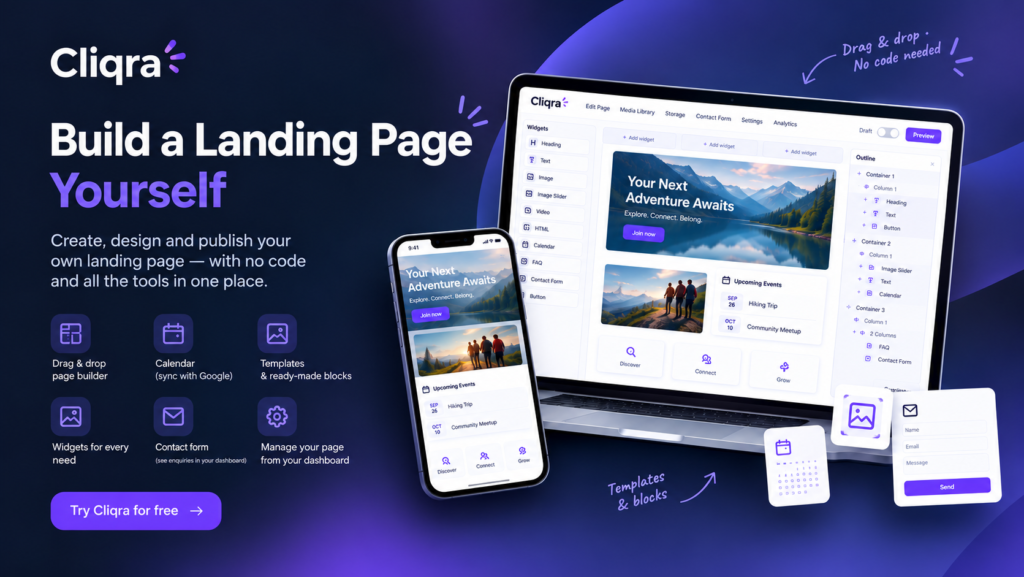
You don’t always need a full website to share an idea, promote a service, introduce a project, or bring people together around something you care about. Sometimes, all you need is one well-designed page with the right information, a few useful features, and a link you can send to anyone. With Cliqra, you can build that page yourself, customize it to fit your needs, and publish it when you’re ready.
Whether you’re a small business owner, a freelancer, an event organizer, a club manager, or someone working on a new project, creating a landing page shouldn’t require hiring a developer or learning how to code. Cliqra gives you a visual Page Builder with a drag-and-drop interface, ready-made layouts, and practical widgets, so you can create a page that feels like your own without starting from scratch.
A Page That Looks the Way You Want
Every project has different needs. A page for a local event may need a calendar and registration details, while a freelancer might want to showcase services and make it easy for potential clients to get in touch. A club could share information about its activities, and a small business could use a page to introduce its offering and collect enquiries. Instead of trying to fit everything into a fixed template, Cliqra lets you build a layout around your content.
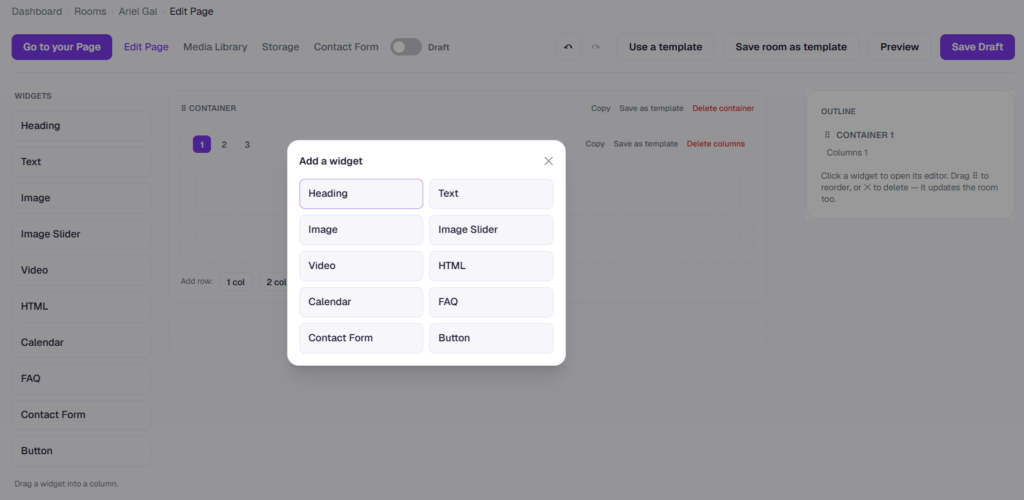
The visual Page Builder gives you control over the structure of the page. Add containers, choose one, two, or three columns, and place widgets wherever they make sense. You can arrange sections, move elements around, and edit the content directly in the builder. You don’t need to know HTML or CSS to create a useful layout, and you can keep adjusting it as your plans change.
You can also customize the look and feel of the page, including its background color and background image. Combine text, images, and other content to create a consistent appearance that suits your business, event, service, or project. Whether you prefer a simple page with a clear message or something more visual, you decide what visitors see and how the information is presented.
Everything You Need to Present Your Idea
A landing page is more than a headline and a picture. Visitors may want to understand what you offer, see examples, check dates, find answers, or contact you before taking the next step. Cliqra provides a collection of widgets you can add to your page according to your needs: Heading, Text, Image, Image Slider, Video, HTML, Calendar, FAQ, Contact Form, and Button.
Use headings and text to explain your offering, images and image sliders to showcase products or activities, and video to provide a more engaging introduction. Add an FAQ to answer common questions before people contact you, or include buttons that direct visitors to another website, a registration page, or any other relevant link. The HTML widget also gives you the option to add supported custom content or embeds when you need something beyond the standard widgets.
A calendar can be particularly useful when your page includes events, classes, appointments, or upcoming activities. You can add events manually or connect a Google Calendar, making it easier to display relevant dates without maintaining a separate calendar on the page. Visitors can find the information they need in one place instead of searching through messages or opening multiple links.
Make It Easy for People to Contact You
For many landing pages, the most important goal is to turn a visit into an enquiry. You may want someone to ask about your services, request more information, register interest, or get in touch about an upcoming event. Cliqra’s Contact Form widget gives visitors a straightforward way to send you a message directly from the page.
When someone submits the form, you can receive the enquiry by email and review submissions through your dashboard. This gives you a central place to manage incoming messages without relying entirely on social media comments or asking people to contact you through a separate channel. You can place the form where it makes the most sense for your page and combine it with clear text explaining what visitors can contact you about.
Buttons can support the same goal by directing people to a booking service, an external registration form, or another destination. You choose the next step you want visitors to take and make it easy for them to find it.
Start with a Template or Build Your Own
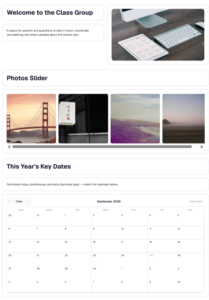
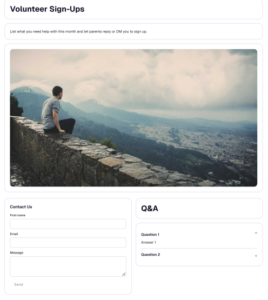
Starting with a blank page can feel like a lot of work, especially if you’re not sure how to organize the content. That’s why Cliqra offers ready-made templates and reusable blocks. A full-page template gives you a starting layout that you can customize with your own text, images, links, and details. Blocks let you add individual sections, such as a welcome area, photo gallery, calendar, or contact section, without having to create each one yourself.
You can use a template as it is and make a few adjustments, or treat it as a starting point for a completely different design. You can also save a layout you’ve created as a template and reuse it for future pages. This is helpful if you regularly organize events, run similar projects, or need several pages with a consistent structure.
The point isn’t to make every page look the same. It’s to give you a head start and let you spend more time on the information and experience you want to provide.
Control When Your Page Goes Live
You don’t have to finish everything in one sitting. From your Cliqra dashboard, you can manage your pages and keep multiple projects in draft while you work on them. You might prepare a page for an upcoming event, start another for a new service, or experiment with different layouts before deciding which version to publish.
A draft stays unpublished while you edit and refine it. When you’re happy with the content and design, you can switch the page to Active and make it available through its own public link. You can then share that link through email, WhatsApp, social media, a newsletter, or wherever your audience is likely to find it.
Once the page is live, you can return to the builder to update information, replace images, add new events, or make other changes as your needs evolve. Your landing page doesn’t have to be a one-time project; it can grow and change along with what you’re working on.
Control How Your Page Appears When Shared
When you share a link, the way it appears in a message or on social media can influence whether someone opens it. Cliqra lets you customize the page’s sharing appearance, including its title, description, and preview image. You can choose wording that explains what the page offers and select an image that represents it, rather than relying entirely on the default content taken from the page.
This is useful when the page is being shared with people who don’t know you or your project yet. A clear title and a relevant image provide context before someone even visits. You can tailor the information to the audience you want to reach and update it when the purpose of the page changes.
One Page, Ready to Share
A landing page gives you one clear destination for the information you want people to see. Instead of piecing together details from different messages, files, calendars, and social posts, you can bring the essentials together on a page you control. With Cliqra, you can build the layout yourself, add the features that make sense for your needs, manage your work from the dashboard, and publish only when you’re ready.
You don’t need to build an entire website to get started. Create a page for your next idea, customize it with the tools you need, and share the link with anyone you want to reach.
Ready to build your own landing page? Try Cliqra for free and create a page that works for you.